Tools for podcast editors
Scout
Premiere Pro extension · $59, one time
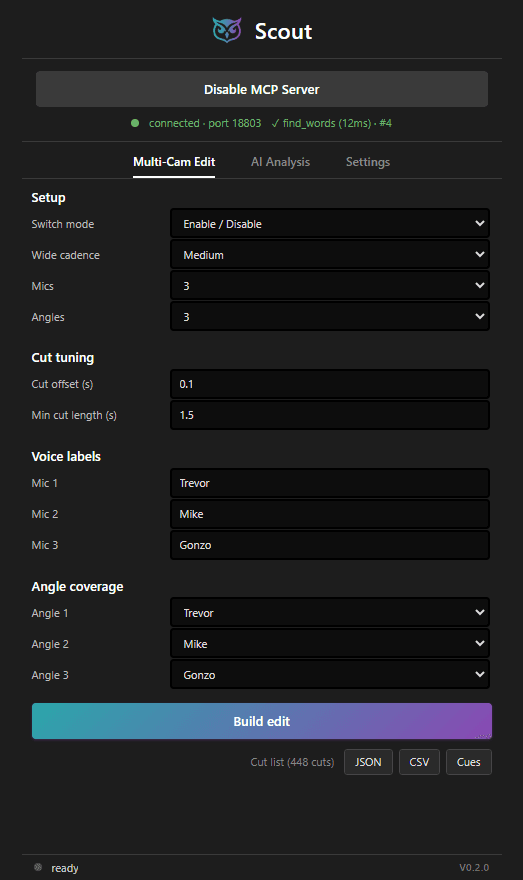
Scout cuts multi-camera podcasts and connects AI agents to your timeline. It reads the audio from each microphone, finds the active speaker, and cuts the sequence to the correct camera. Its MCP server gives your agent 277 tools: read the transcript, search for spoken words with frame accuracy, place markers, cut the timeline, apply effects, control exports. Your AI subscription does the analysis. Scout adds no per-use fees.
The key difference: Scout uses both of Premiere's extension platforms. The modern UXP side reads the transcripts Premiere creates, with word-level timing. The CEP side covers what UXP cannot do yet. Transcribe once in Premiere; your agent sees everything.
Windows, Premiere Pro 26.2 or newer. Works offline after activation.
- Buy Scout and get your license key by email.
- Run the installer. It installs the panel, the MCP bridge, and all components.
- Enter your key in the panel: Settings > License > Activate.
Sequence Batch Exporter
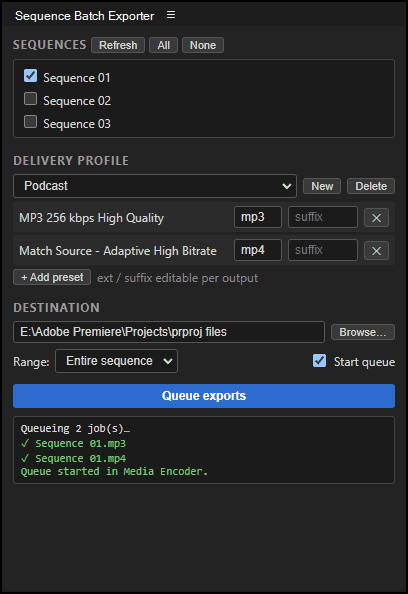
When it's time to deliver a podcast episode, I usually need to deliver multiple versions: the video file for YouTube, and the audio file for podcast platforms. Sequence Batch Exporter lets me export all of them at once, queueing the jobs in Media Encoder. It also saves this combination of exports as a preset, so I don't have to go through the export dialog multiple times for every project. It's pretty handy, and I think you'll like it.
Windows, Premiere Pro 22.0 or newer. Free, no signup.
- Download the signed .zxp from Gumroad (free, or pay what you want).
- Open it with ZXPInstaller.
- Restart Premiere and open Window > Extensions > Sequence Batch Exporter.
View source on GitHubRead the story behind itBuy me a coffee
Spec Check
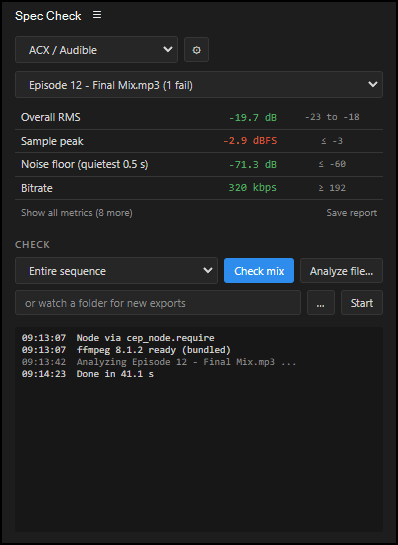
Audio delivery specs can vary quite a bit. This plugin helps me check if a project meets a given spec before I deliver it to a client. It has presets for ACX/Audible, Apple Podcasts, Spotify, EBU R128, and YouTube. It also supports custom specs, so if a client has a unique requirement, that can also be checked. The plugin can analyze the open sequence, exported files, or even watch a folder for new exports and check them automatically. Give it a try if you need to make sure your audio is ready for delivery.
Windows, Premiere Pro 22.0 or newer. Free, no signup.
- Download the signed .zxp from Gumroad (free, or pay what you want).
- Open it with ZXPInstaller.
- Restart Premiere and open Window > Extensions > Spec Check.
View source on GitHubRead the story behind itBuy me a coffee
Spec Check for REAPER
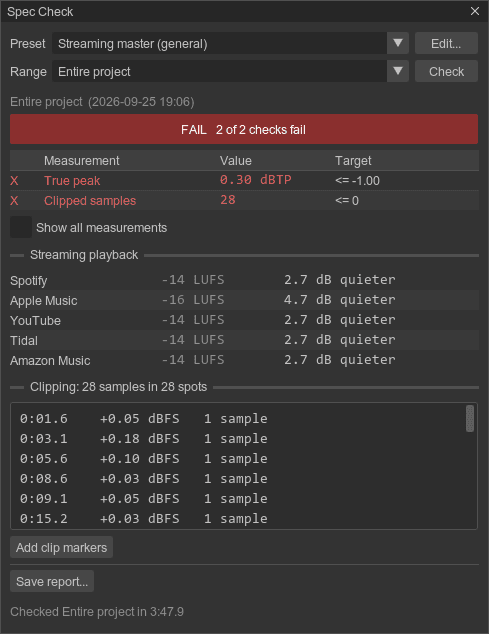
I also mix music in REAPER, so I built a version of Spec Check for it. It renders the master mix (the whole project, a time selection, or each region) and checks loudness, true peak, clipping, and stereo correlation against a preset. For music, it shows how much Spotify, Apple Music, YouTube, Tidal, and Amazon will turn the track down or up, and it lists every clipped spot so you can jump straight to it. The podcast and audiobook presets from the Premiere version are included too.
Windows, REAPER with the ReaImGui extension. Free, no signup.
- Install ReaPack, then install ReaImGui from Extensions > ReaPack > Browse packages.
- Import the Spec Check repository in Extensions > ReaPack > Import repositories, using the link in the install guide.
- Install Spec Check from Browse packages, then run it from the action list.
A/B Audio Toggle
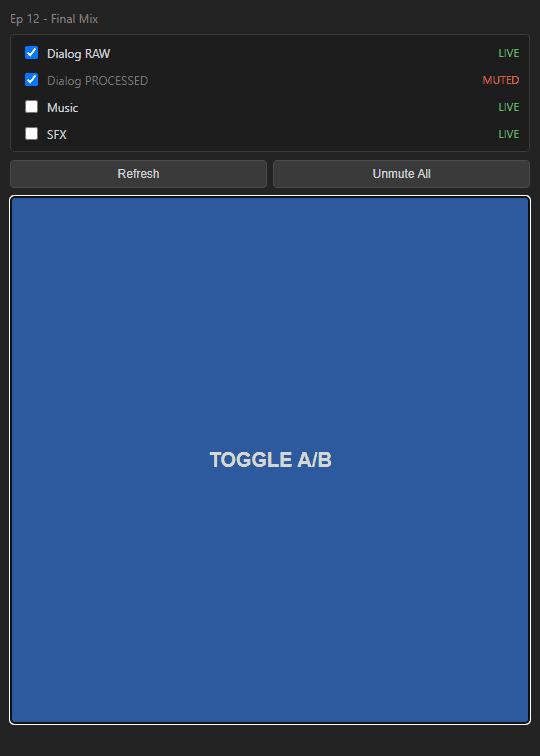
Need to compare some audio tracks? This plugin lets you select any audio tracks in your timeline, and then flip their mute states at the press of a button. It's great for comparing takes, judging the effect of a plugin, testing music beds, or any other time you need to A/B some audio. I don't know why Premiere doesn't have this built in, but now you can have it for free.
Windows, Premiere Pro 22.0 or newer. Free, no signup.
- Download the signed .zxp from Gumroad (free, or pay what you want).
- Open it with ZXPInstaller.
- Restart Premiere and open Window > Extensions > A/B Audio Toggle.
Premiere plugin dev notes
Verified notes on Premiere Pro UXP and CEP plugin development. The official docs are incomplete, and many mistakes fail with no error message. Every entry comes from a live test in Premiere Pro or from a cited Adobe source. Topics include sync and async rules, silent manifest failures, the QE DOM, markers, timeline edit actions, and .zxp signing.
Updates
Scout gets regular updates, and more tools are coming. Join the newsletter to hear about each release.